
For gamers, sudden ping spikes, brief lag spikes, and packet loss can all negatively impact the gaming experience. When optimizing their gaming networks, many players wonder: will switching from Wi-Fi to a wired connection—or upgrading to a higher-quality Cat6 Ethernet cable—actually improve gameplay?
This article examines real-world gaming network scenarios to analyze how to select the best Cat6 Ethernet cable for PCs, PS5s, Xbox consoles, and gaming routers.
Is Cat6 Ethernet Cable Good for Gaming?
For the vast majority of home gaming networks, Cat6 Ethernet cables are more than sufficient to meet gaming needs. Cat6 features a frequency of 250 MHz and commonly supports 1000BASE-T (Gigabit) transmission. It may support 10GbE over distances of 37–55 m, depending on installation conditions. Rather than simply increasing bandwidth, the primary value of Cat6 lies in providing a stable wired connection—minimizing Wi-Fi interference, latency fluctuations, and the risk of packet loss—thereby enhancing the overall gaming experience.
It is important to note that Cat6 Ethernet cables cannot lower the baseline ping caused by factors such as ISP line quality or server distance; neither Cat6 nor higher-specification cables can resolve issues inherent to the network path itself.
What does Cat6 Mean for PCs, PS5s, and Xbox Consoles?
For devices such as gaming PCs, PS5s, and Xbox consoles, connecting to the router using a high-quality Cat6 Ethernet cable can alleviate LAN instability, thereby creating a more reliable network environment for online gaming, cloud gaming platforms, and high-speed data transfer.
For a standard gaming PC equipped with a 1GbE Ethernet port, Cat6 easily meets the performance requirements of the network interface. Even if you upgrade to a 2.5GbE network, a high-quality Cat6 cable can usually handle the demand within typical home cabling distances. For consoles like the PS5 and Xbox Series X|S, Cat6 cables offer more than enough performance headroom. Using Cat7 or Cat8 cables will not automatically result in lower latency for the consoles themselves.
What truly matters is:
- Whether the Ethernet cable meets standards
- Connection stability
- RJ45 connector reliability
- Proper functioning of network equipment
If these fundamentals are in order, a Cat6 Ethernet cable is perfectly adequate for the vast majority of home gamers.
How to Choose the Best Cat6 Ethernet Cable for Gaming?
A common mistake when choosing the best Cat6 cable for gaming is relying solely on the packaging. Labels like "Cat6," "250MHz," "Gigabit," and "Gaming" tell only part of the story and do not fully reflect the cable's quality.
A truly sound approach involves evaluating factors based on your specific network environment, as shown in the diagram below:

In other words, the first question shouldn't be "Which gaming cable is the fastest?" but rather: "How far is my gaming PC or console from the router, and how do I plan to install the cable?" Once you answer this, the answers to many other technical specifications often become clear.
1. Choosing the Right Cat6 Cable Length Based on Actual Distance
When selecting a Cat6 cable length, calculate based on the actual cable routing path rather than the straight-line distance between devices. Short-distance connections (e.g., PC to router) typically require only 6 ft or 10 ft, whereas connections spanning rooms may need 15–25 ft or more. If the cable must run along corners, baseboards, or behind furniture, allow for extra length.
Recommended formula: Actual routing path length + appropriate margin = required cable length. However, avoid excessive slack; overly long cables make cable management difficult without improving network stability.
2. Conductors’ Structure: Stranded or Solid?
Cat6 cables are available with stranded and solid conductors. Stranded conductors are more flexible, making them ideal for short-distance connections between devices—such as patch cables for gaming PCs, consoles, and routers. Solid conductors are better suited for permanent installations, such as in-wall, in-ceiling, or inter-room wiring.
If setting up a permanent network for a gaming room, choose solid copper horizontal cable and terminate it using keystone jacks, wall plates, or patch panels. In short: choose stranded for movable connections and solid copper for fixed wiring.
3. Don't Overlook Conductor Material: Prioritize Pure Copper
The conductor material directly affects the transmission stability of Ethernet cables. Some low-cost cables use CCA (Copper-Clad Aluminum); while cheaper, CCA falls short of pure copper cables in terms of conductivity, durability, and PoE (Power over Ethernet) support.
For long-distance gaming networks involving in-wall cabling or PoE applications, pure copper conductors are recommended. High-quality copper conductors ensure more stable signal transmission and greater longevity.
4. How to Choose the Right Cat6 Cable Gauge?
Cat6 cable gauge is typically measured in AWG (American Wire Gauge). A lower number indicates a thicker conductor; for instance, 23 AWG is thicker than 24 AWG or 26 AWG. Thicker conductors generally offer lower resistance, making them better suited for long-distance runs and fixed installations.
For home gaming networks, 23AWG or 24AWG solid copper wire is commonly used for structured cabling, while 24AWG and 26AWG designs are typical for short-distance patch cables. Wire gauge is just one factor; a compliant Cat6 cable will not cause a noticeable increase in ping simply because a thinner gauge is used over a short distance.
5. UTP or Shielded Cat6?
For most home gaming networks, Cat6 UTP (Unshielded Twisted Pair) is sufficient. Its standard twisted-pair structure effectively minimizes common electromagnetic interference, making it suitable for residential environments such as bedrooms, studies, and living rooms.
Shielded cables are primarily intended for industrial environments or areas with strong EMI. A shielded system requires compatible shielded cables and network accessories, proper termination of the shielding layer, and standardized system equipotential bonding. Therefore, average home users do not need to blindly choose shielded cables simply because they are marketed for "gaming."
6. RJ45 Connectors and Termination Quality Are Equally Important
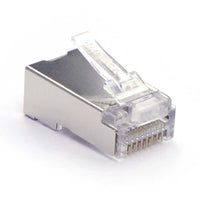
Cat6 cable performance depends not only on the cable itself but also on the 8P8C modular plugs (commonly known as RJ45 plugs) and the quality of termination. Issues such as incorrect wiring sequences, poor contact, excessive untwisting of pairs, or mismatches between the plug and cable specifications can degrade link performance.
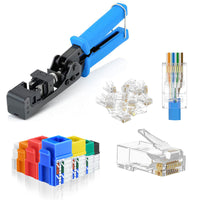
When purchasing pre-made Cat6 Ethernet cables, pay attention to the build quality of the RJ45 plugs, the reliability of the locking tabs, and whether the product meets Cat6 standards. If making your own cables, ensure the RJ45 plug matches the cable gauge, conductor type, and outer diameter specifications to avoid compromising network performance.
What Cat6 Cable Length, Gauge, and Shielding Are Best for Gaming Networks?
If you prefer not to examine every Cat6 cable specification in detail, you can make a decision based on your gaming equipment and installation scenario. The table below outlines recommended configurations for common connection setups in home gaming networks.
Recommended Configuration Table:

Final Verdict: Is Cat6 the Best Ethernet Cable for Gaming?
For the vast majority of home gaming networks, Cat6 Ethernet cables meet standard Gigabit Ethernet requirements, providing stable wired connections for devices such as gaming PCs, PS5s, Xbox consoles, gaming routers, and network switches over typical home cabling distances.
If the primary use case is connecting a gaming PC to a router, a Cat6 UTP stranded copper patch cable of the appropriate length is recommended, as it strikes a good balance between flexibility and the demands of daily use. For permanent in-wall installations, however, it is better to use compliant solid copper Cat6 cable, combined with keystone jacks, patch panels, and patch cables to create a complete structured cabling system.
In environments with high electromagnetic interference (EMI), a shielded Cat6 system may be considered to enhance interference resistance. Alternatively, if the goal is to build a high-speed home network that reliably supports 10GbE over longer distances, upgrading to Cat6A cable is a viable option.
FAQs about Cat6 Gaming Cable
Q1: Will a Cat7 Ethernet cable definitely result in lower gaming ping than a Cat6 cable?
A: No. The cable category does not directly lower ping. Gaming latency is primarily affected by your ISP, routing paths, and the distance to the server. If your Cat6 cable is already performing stably, upgrading to Cat7 usually won't yield a noticeable improvement in latency.
Q2: Does a shorter Ethernet cable ensure lower gaming ping?
A: No. Differences in cable length ranging from a few meters to several dozen meters result in negligible latency—virtually imperceptible in actual gameplay. When choosing a length, prioritize meeting your installation needs and avoiding excessive slack.
Q3: Is an STP (shielded) cable necessarily better for gaming than UTP (unshielded)?
A: Not necessarily. STP is designed to reduce electromagnetic interference; it does not increase network speed. For a typical home gaming setup, a high-quality Cat6 UTP cable is usually sufficient; shielding is generally only required in specialized environments.
Q4: Does a Cat6 cable supporting higher speeds automatically improve the gaming experience?
A: Not necessarily. Higher bandwidth does not automatically lower ping or boost gaming performance. Choosing a stable, reliable Cat6 cable with the right specifications is more important than blindly chasing the highest possible speed rating.
Q5: How should I choose between Cat6 UTP and STP?
A: Choose based on your environment. Prioritize Cat6 UTP for standard homes, gaming rooms, and offices. Consider STP shielding when the cable is routed near high-power electrical equipment or in areas with high interference.
Q6: What is most important when buying a Cat6 cable for gaming?
A: Focus on conductor material, AWG (wire gauge), cable construction, RJ45 connector quality, and certification testing. Reliable specifications are more trustworthy than marketing labels.
For more information on this topic, you can keep up on our blogs. While VCELINK offers general and basic information for our customers and other visitors to the website, it’s not professional advice.


Geben Sie als Erster einen Kommentar ab.
Hinterlasse einen Kommentar